

This article tackles hard resetting the HAVEN Central Air Monitor. Check out our short video on when to use a short or hard reset below.
Please note: Once a hard reset is executed, the Central Air Monitor will require a quick re-provision to your WiFi network.
How-to
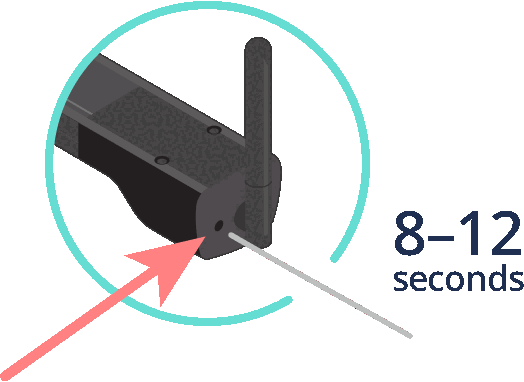
1. Insert a pin into the small hole to the left of the antenna and push down for 8-12 seconds.
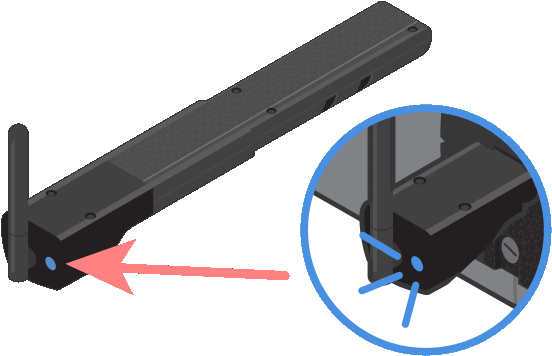
2. LED will turn solid blue which signals it’s ready to be reprovisioned to the home’s WiFi network through the HAVEN IAQ app.
3. Open up the HAVEN IAQ app and follow instructions on Provisioning the Central Air Monitor.
4. To re-provision the HAVEN Central Air Monitor, follow our Central Air Monitor Installation Guide.
Related articles
If you are continuing to face issues with your HAVEN device or data, our dedicated Professional Support can be contacted directly via 1-833-442-7776 or prosupport@haveniaq.com