
Summary
Pro can add nicknames to the equipment during initial setup to help them select the right equipment for automations and interlocks later.
The equipment list will ONLY show what is currently associated with either a HAVEN Monitor or Controller.
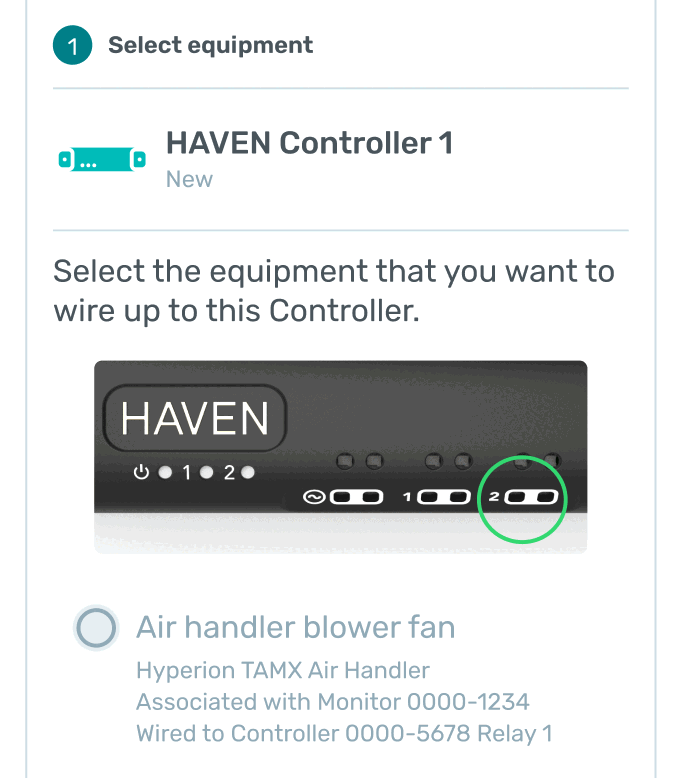
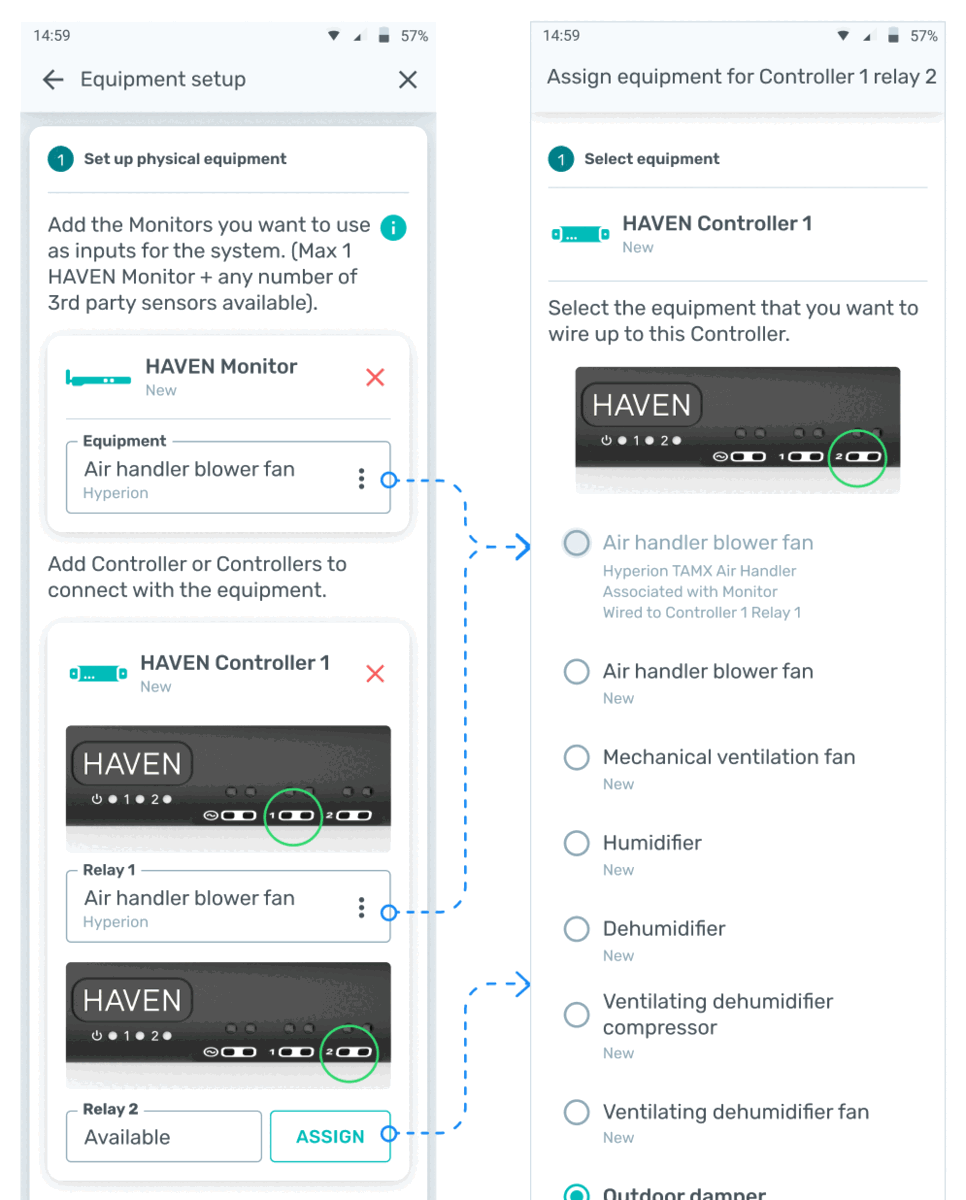
- Once technician has added the Monitor blower, they will be able to recognize it in the equipment list. It will be labeled as "Associated with Monitor", along with the brand.
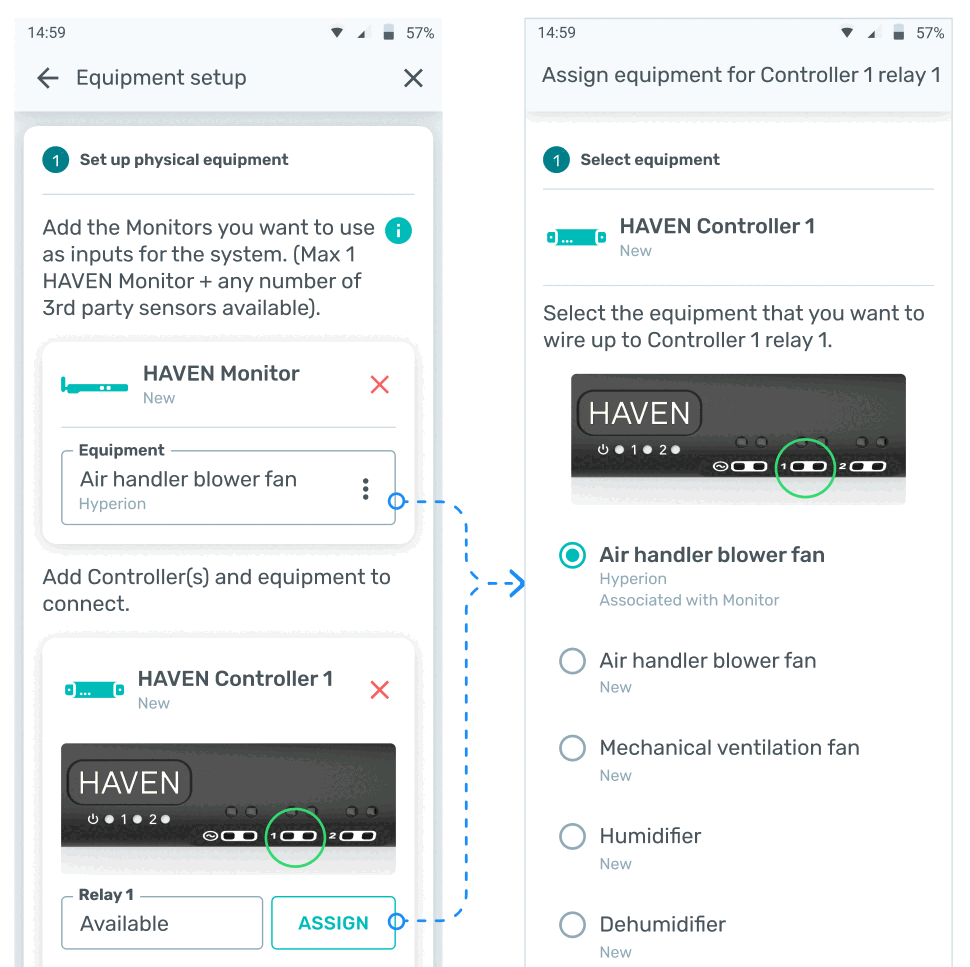
- Once a piece of equipment has been configured to one of the Controller relays, it will show "Wired to Controller # Relay #".
- If the technician wants to wire the equipment to a different relay, they can remove it from one relay and then add it to another.
- If the technician is pulling up a previous install, it will display the full serial number of the Monitor and/or Controller that it's connected to.