

Who hasn’t lost track of an email at some point in their life? When you get asked “where’s that invitation email at?” you can simply resend and have it land on the top of their inbox.
How to do it?
-
Go to the kebab menu on the right side of the top navigation bar & select “Company”.
Media pending restorationThis item is being restored from the certified support archive.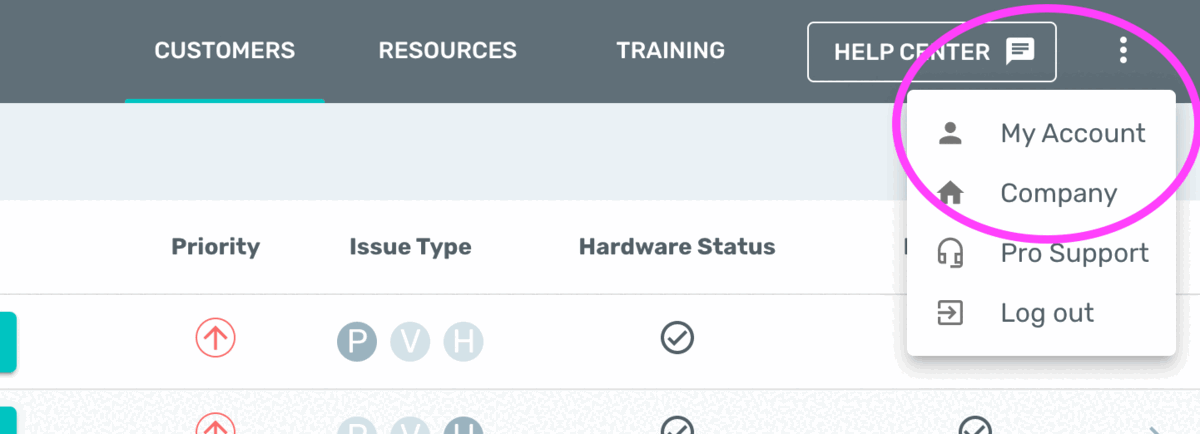
-
Select the “Team” tab in the left panel.
Media pending restorationThis item is being restored from the certified support archive.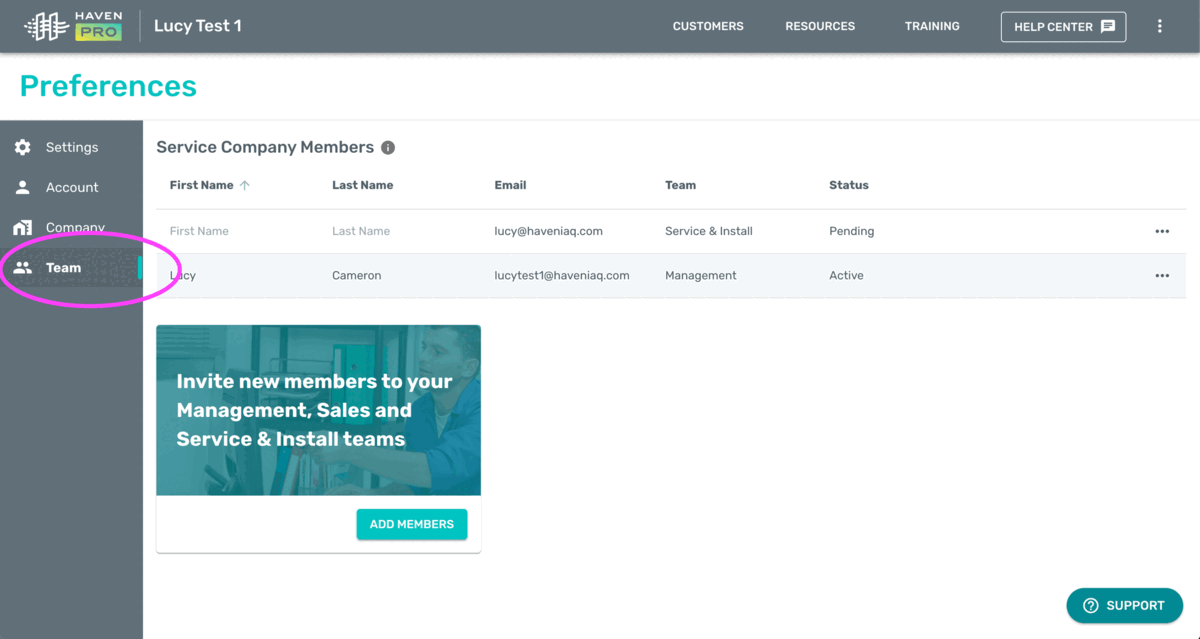
-
Find the user you want to resend the invitation for, click the menu on the right, and then “Resend Invitation”.
Media pending restorationThis item is being restored from the certified support archive.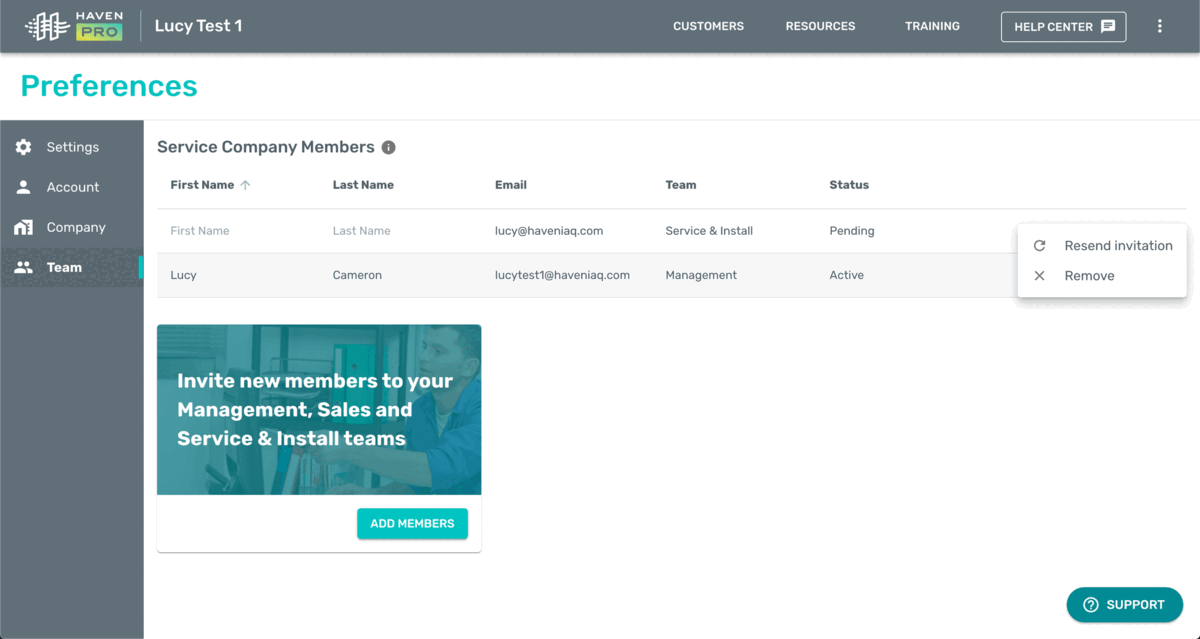
-
Confirm the action.
Media pending restorationThis item is being restored from the certified support archive.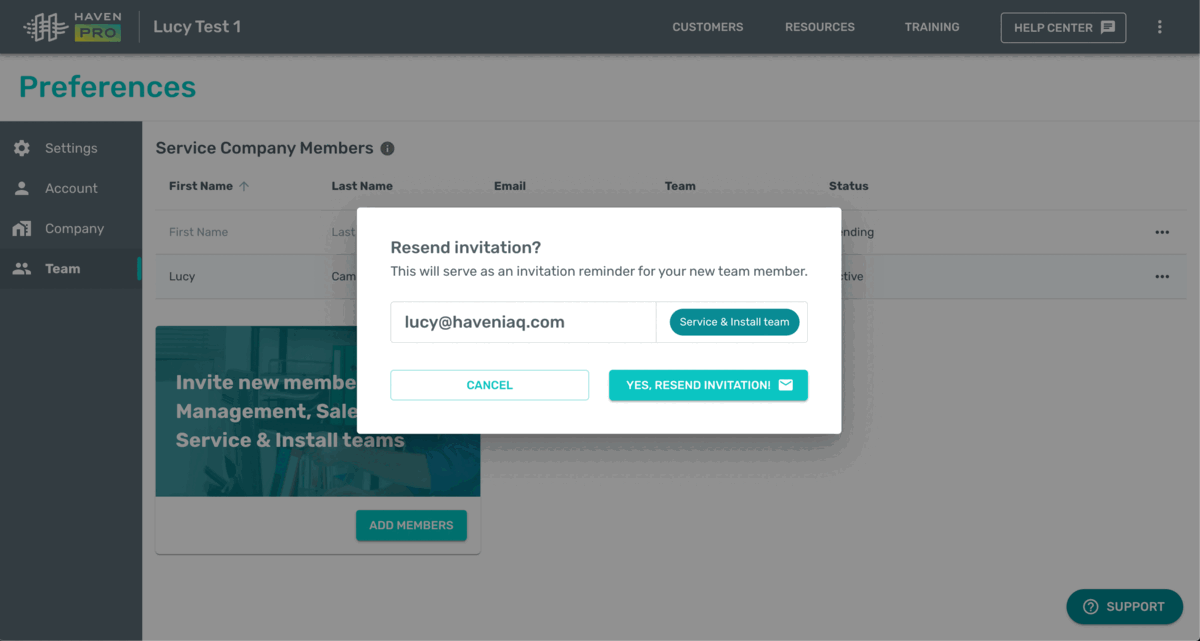
-
That’s it! Your team member will receive another invitation email to join your service company.
If they don’t see it in their regular inbox, please make sure they check their other inbox tabs (e.g. “Promotions”) and “Spam”.
Related Articles
- How to: Add new members to your HAVEN Pro service company account
-
How to: Manage your team members
-
Assign team members to a different team
-
Remove members from the HAVEN Pro service company account
-
For assistance with any aspect of the Pro Portal, you can contact us directly via 1-833-442-7776 or prosupport@haveniaq.com