

When power is supplied to the Central Air Monitor, the LED indicator on the probe is our way of letting you know what state the Monitor is in.
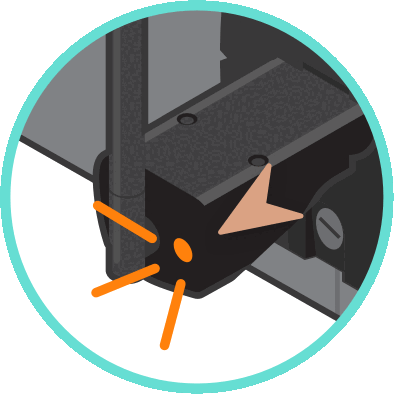
The LED indicator is located to the right of the Central Air Monitor antenna. Here’s your color legend for troubleshooting.
LED Light Colour Legend
1. Solid blue

The device is powered and ready to be connected to WiFi.
2. Flashing blue

The Monitor is attempting to connect to WiFi. If this persists for longer than approximately one minute, try a soft reset. Reconnect to Haven-XXXX-XXXX via the HAVEN IAQ App and sync the device. Then, you'll be able to continue entering your WiFi network information and password.
3. Solid green with an aqua flash

Your Monitor is connected to WiFi. An aqua flash signifies that the device is pushing data to the cloud.
4. Orange flashing

The WiFi credentials may have been entered incorrectly. The device is still thinking…
5. Solid orange

HAVEN has failed to connect to mode after a connection failure. HAVEN IAQ app will ask you to re-enter the WiFi info.
If you’re having difficulties with the app, you can perform a hard reset on the Central Air Monitor and start again from the beginning.
6. Green & purple flashing

The air monitor probe isn’t positioned correctly in the mounting plate. The particle detection laser has been disabled for user handling. Make sure that the probe is inserted properly into the mounting plate.
You may feel or hear a subtle click when the probe is correctly seated.
For more information, watch our short video on the HAVEN Monitor LED Statuses:
Related articles